Live Chat Software: How to Add Live Chat to Your Website
Live chat software lets website visitors get answers quickly to their questions on pricing, features, or shipping without relying on a contact form or waiting for an email response. With a real-time messaging tool embedded on your site, you could convert passive browsers into active buyers, lower bounce rates, and drive higher conversions.
It would be fair to say that a website chat widget fills the gap between passive browsing and active buying. Whether you own an online shop, a service agency, or a modern B2B SaaS platform, having high-quality live chat software will help boost conversion rates and build lasting customer trust.
What is Live Chat Software?
Live chat software is basically a web-based communication tool that embeds an interactive messaging window to a website. This tool enables real-time conversations between visitors and the site's support or sales representatives.
Appearing as a clean and simple chat widget for a website (sitting in the lower corner of their screen), live chat software gives shoppers and potential clients immediate access to help while browsing.
Modern website live chat platforms go beyond traditional messaging boxes. Today's most effective solutions are packed with a wide range of capabilities and are designed to simplify and streamline operations across the business.
Top solutions typically offer:
Automated Lead Capture: Gather names, emails, and phone numbers before a chat even begins.
Smart Routing: Direct inquiries to sales, support, or specific account reps.
AI-Powered Answers: Answer FAQs 24/7 with no human intervention needed.
Co-Browsing & Screen Sharing: Guide users visually via complex checkouts or technical workflows.
Are you willing to transform your website traffic into revenue?
Explore Chatipod's Website Chat Widget and convert static visitors into high-value leads today!
Why Every Website Needs a Live Chat Tool in 2026?
These days, buyers expect instant responses, but businesses that can't provide immediate support struggle to survive. Using live chat for website communication helps in improving support and customer engagement across the following key areas.
1. Fast Responses Build Trust
While email replies take a couple of hours and phone calls mean waiting on hold, live chat software minimizes response times to seconds. Responding quickly to a simple question makes your brand seem trustworthy and approachable.
2. High Conversions and Lower Cart Abandonment
It is found that up to 70 percent of online shopping carts are abandoned before purchase (Source: Baymard Institute). A quick check-in via website live chat can answer last-minute objections and recover lost revenue.
3. Lower Operational Costs
A support phone agent can assist only one person at a time. Using chat for website support, a single agent can easily manage up to 3 conversations concurrently without compromising quality, resulting in cutting down helpdesk overhead.
What to Look For in The Best Software for Live Chat for Website?
In this section, we'll discuss the essential key features you need to look for while selecting the live chat software. We also shed light on what standard industry tools offer and how Chatipod is different from these tools.
Key FeaturesStandard Live Chat ToolsChatipod's ApproachSetup EaseRequires complex custom coding or developer assistance.Installs in a few minutes with no coding required.IntegrationLocks support to website chat or charges extra for channels.Combine live chat, Email, WhatsApp, and Discord in one inbox.ResponsivenessUses rigid decision trees that break on custom questions.Auto-resolves up to 74% of tickets with a 0.6-second average reply time.AI & Hybrid RoutingRelies on manual queue triage that causes support delays.Automatically routes qualified leads based on intent and urgency.Custom BrandingProvides basic color options with rigid third-party templates.Offers full brand control, 32+ quick actions, and page-aware triggers.PricingUses extreme usage charges or expensive enterprise locks.Offers a Free Plan ($0/mo) and paid tiers from $10 to $50/mo.
Are you looking for a user-friendly chat widget for your website?
Have a closer look at Chatipod's Pricing Plans and find an affordable option according to your current budget.
How Can Chatipod Help?
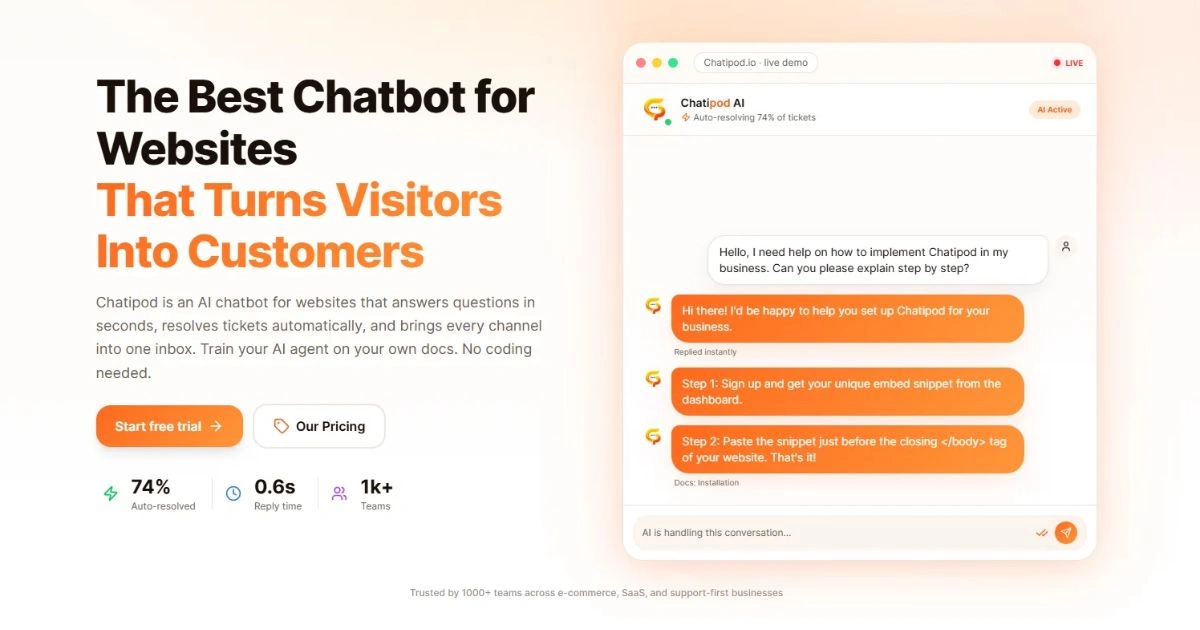
Chatipod helps in cutting setup time from days to minutes, while its complete AI support and omnichannel capabilities offer seamless guidance to customers.
How to Add Live Chat Software to Your Website (Steps to Follow)?
Let's start with the following steps and reveal how to add live chat to your website:
Step 1: First, Select the Right Platform
Opt for a reliable provider like Chatipod who is capable in balancing automated triggers, dashboard controls, and fast loading speeds.
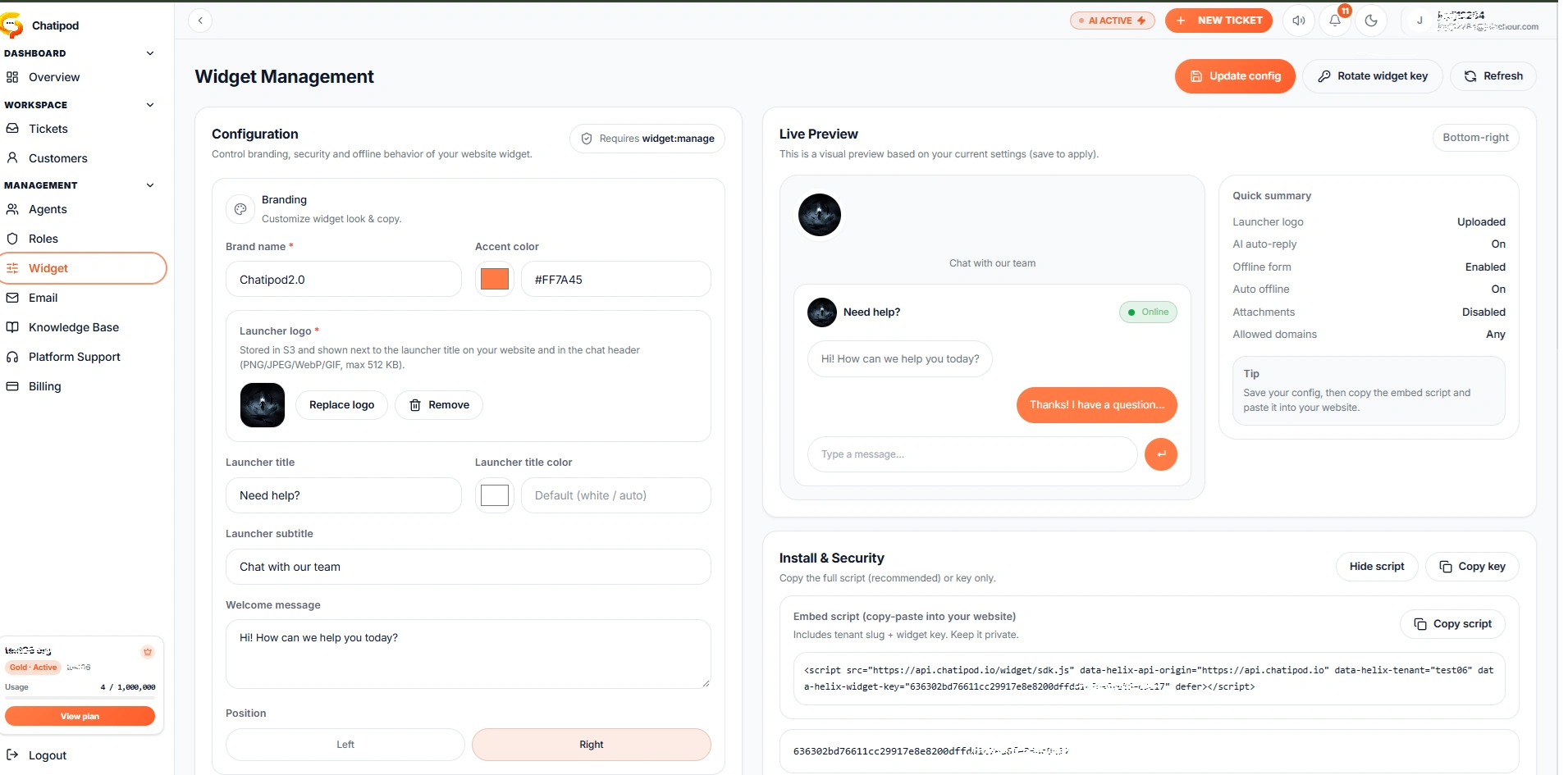
Step 2 Get the Script Code From the Widget Section:
Once you're done with account setup, your live chat provider gives you a short line of JavaScript snippet code which will help load the widget smoothly.
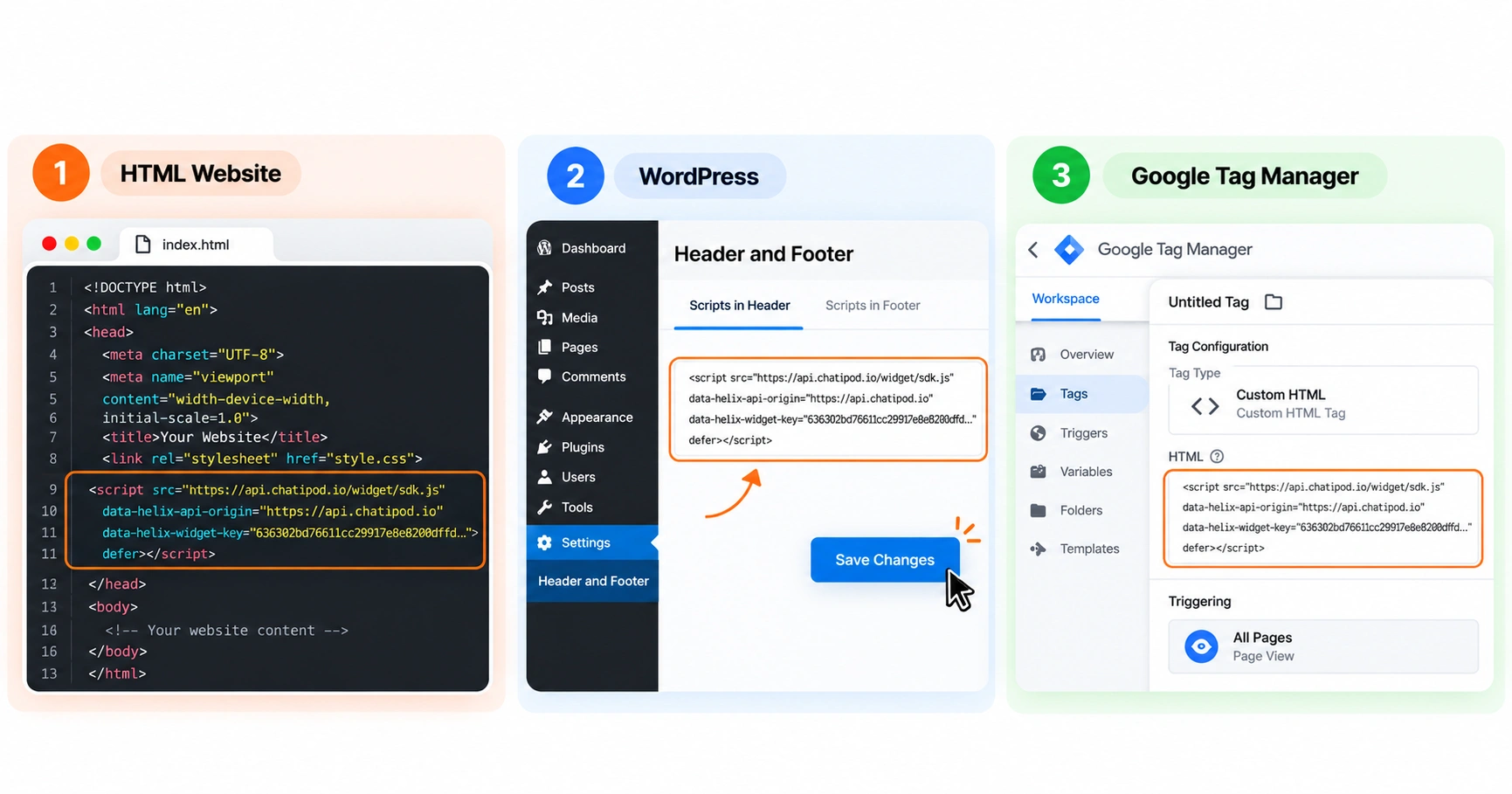
Step 3: Paste the Script in Your Site Header
Add the script block right before the closing </head> tag in your website HTML code. If you've been using WordPress, Shopify, or Google Tag Manager, you can simply paste the code directly through standard plugin settings.
Step 4: Test Your Live Chat Experience
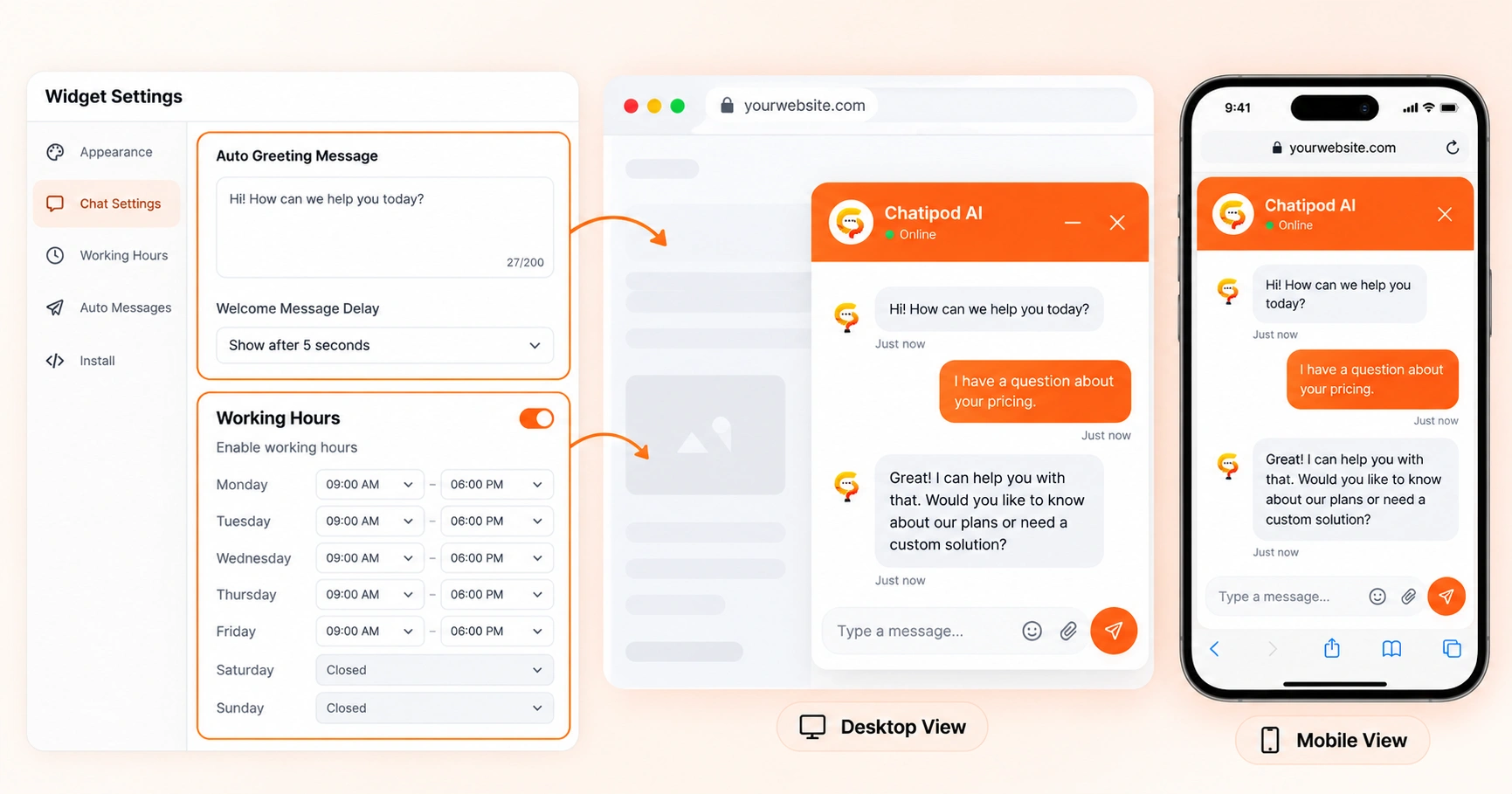
Personalize your automatic greeting message, decide your business working hours, and run a test conversation on mobile as well as desktop views to ensure if everything is operating seamlessly.
What is Live Chat Software: Key Takeaways
Live chat software helps businesses connect with site visitors in real time.
A website chat widget may provide faster support, improve engagement, and more conversions.
The best live chat tools should have features like AI-powered replies, lead capture, smart routing, integrations, and customizations.
Adding live chat to a site is relatively easy with minimal technical work included.
Chatipod brings live chat, automation, AI, and various integrations altogether to offer businesses better customer support and help capture more leads.